stock-quant
| English | 简体中文 |
Stock Quant - Local Backtest
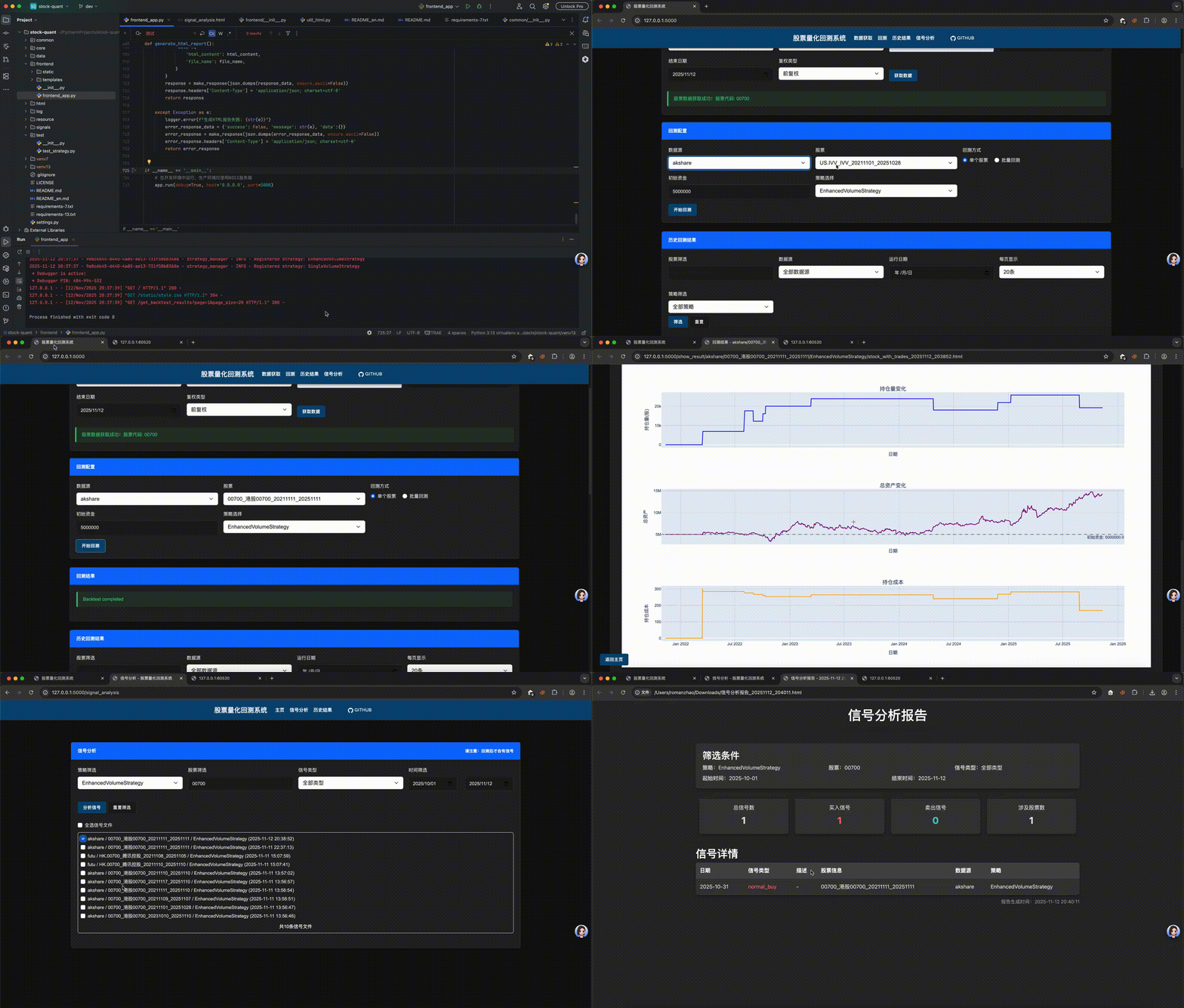 If the video doesn’t load, you can check it here
Environment Dependencies Installation
- Python3 Download
MacOS/Windows/Linux: Download the Python3 installation package from the official website and install directly. You can also configure multiple Python3 environments to support free switching.
For switching methods, see the Environment Initialization section.
Environment initialization
- Python3.13(Recommended)
python3.13 -m venv venv13
source venv13/bin/activate
pip install -r requirements-13.txt
- Python3.7(Not yet tested)
python3.7 -m venv venv7
source venv7/bin/activate
pip install -r requirements-7.txt
- Python Environment Switching ```
- deactivate ```
Quick Start
1. Historical K-line Data Preparation
1.1 Data Preparation(csv format. the step is optional. you can prepare the data by yourself or get it from the frontend page)
csv data format
A stock data format
date,open,high,low,close,volume,amount,stock_code,stock_name,market
2021-11-01,0.81,0.82,0.81,0.82,54463399,54086664.0,SH.510210,上证指数ETF,CN
2021-11-02,0.82,0.82,0.8,0.81,71456299,70368907.0,SH.510210,上证指数ETF,CN
2021-11-03,0.81,0.81,0.8,0.8,36854399,36085912.0,SH.510210,上证指数ETF,CN
2021-11-04,0.81,0.81,0.8,0.81,47489699,46692877.0,SH.510210,上证指数ETF,CN

HK stock data format
date,open,high,low,close,volume,amount,stock_code,stock_name,market
2021-11-01,432.36,432.75,421.29,425.76,22649546,10654645504.0,00700,港股00700,HK
2021-11-02,434.49,437.79,416.64,420.32,33005998,15457739520.0,00700,港股00700,HK
2021-11-03,418.38,426.15,414.3,425.18,19362664,8976079360.0,00700,港股00700,HK
2021-11-04,431.19,437.6,429.84,436.63,16440685,7856704512.0,00700,港股00700,HK
2021-11-05,428.09,430.22,421.49,423.62,20019234,9394663936.0,00700,港股00700,HK
2021-11-08,416.44,420.32,410.04,420.13,22340751,10272692480.0,00700,港股00700,HK

US stock data format
date,open,high,low,close,volume,amount,stock_code,stock_name,market
2021-11-01,434.07,434.46,431.96,433.88,2914779.0,,US.IVV,IVV,US
2021-11-02,434.02,435.99,433.86,435.7,3282790.0,,US.IVV,IVV,US
2021-11-03,435.08,438.91,434.62,438.55,2916130.0,,US.IVV,IVV,US
2021-11-04,439.15,440.8,438.78,440.69,3039933.0,,US.IVV,IVV,US
2. Backtest Execution(Two Ways)
2.1 With Frontend Page
- Start the frontend page
- python frontend/frontend_app.py
- Execute backtest on the frontend page
- Get the historical k-line data of the target stock (supports A-share, HK-share, and US-share)
- Select the stock to backtest (supports A-share, HK-share, and US-share)
- Select the strategy to backtest (current code supports EnhancedVolumeStrategy. you can view the strategy in core/strategy/trading/volume/trading_strategy_volume.py)
- Or add your own strategy (refer to the EnhancedVolumeStrategy class in core/strategy/trading/volume/trading_strategy_volume.py)
- Click the “Backtest” button to execute the backtest
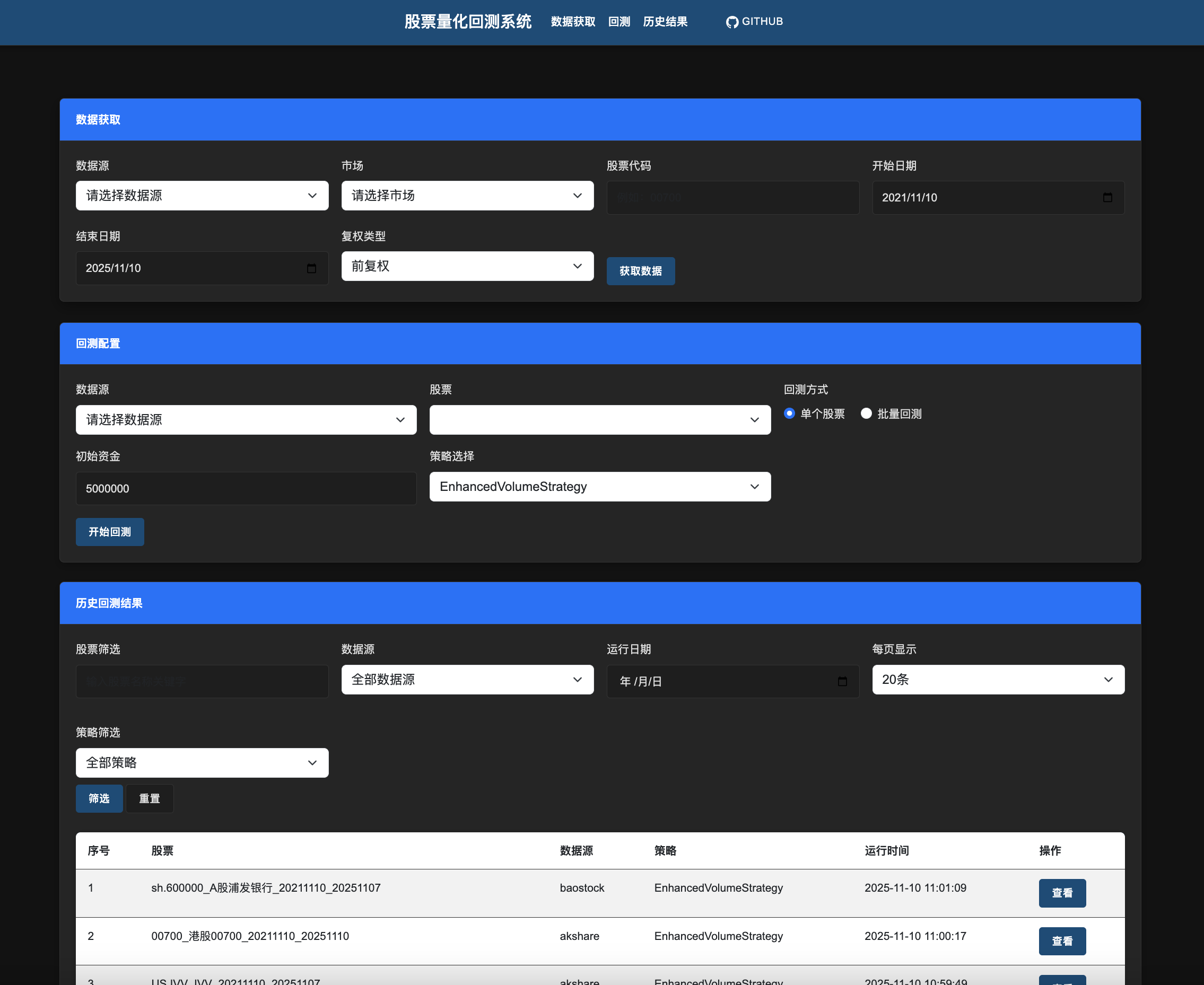
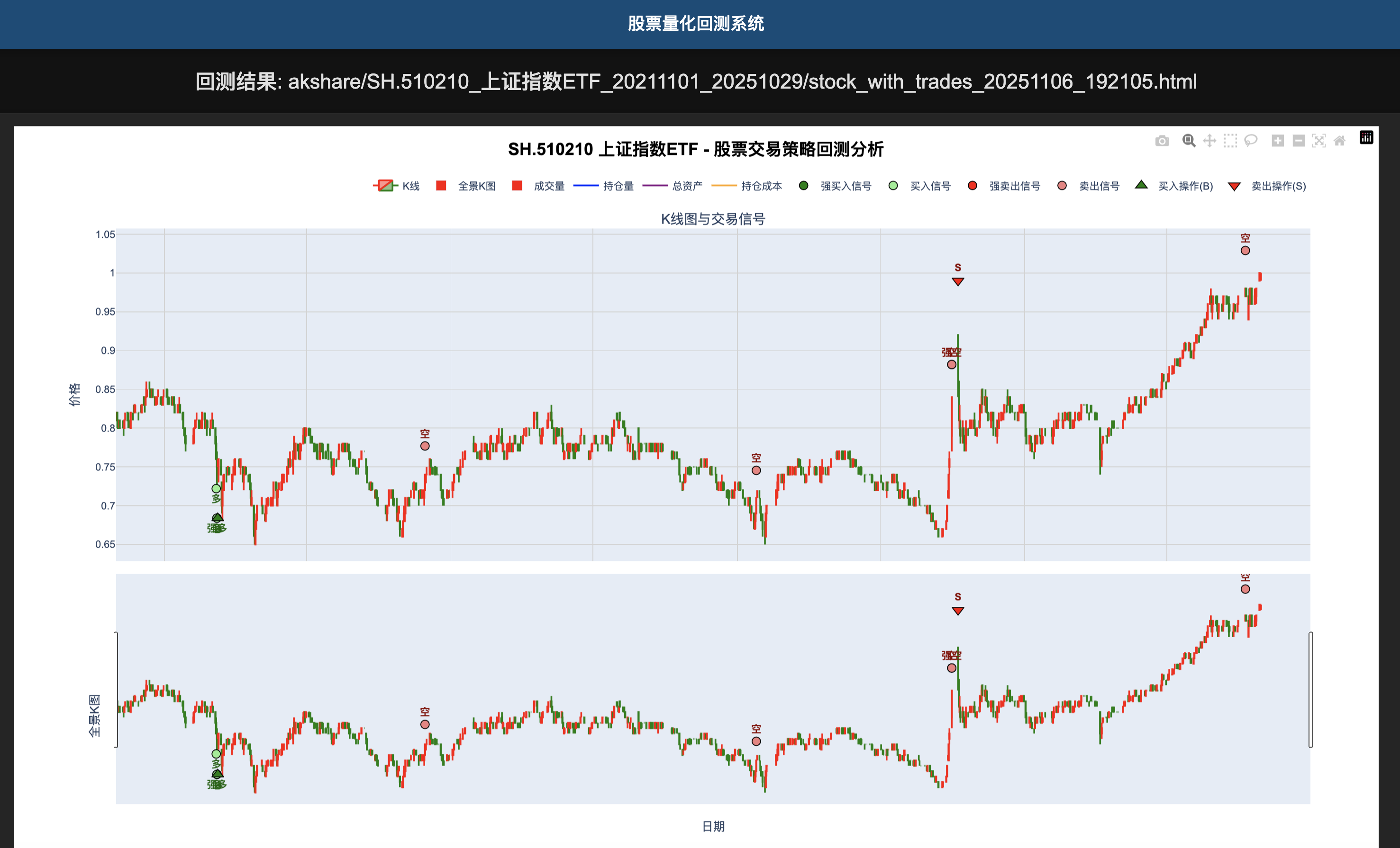
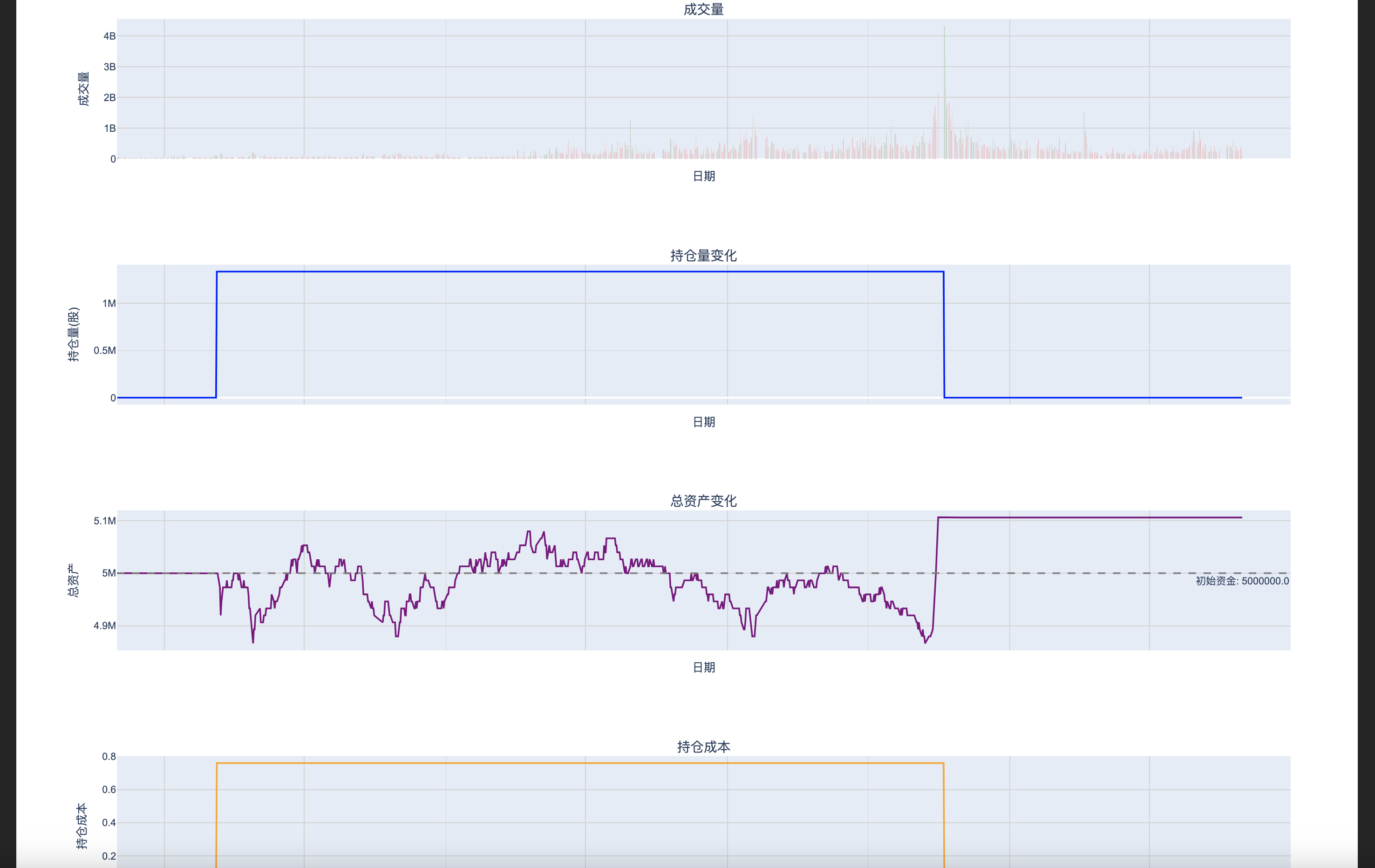
- Backtest results will be displayed on the frontend page
2.2 Direct Code Execution(Without Frontend Page)
- Run backtest code
- Refer to the following code
from common.logger import create_log
from core.quant.quant_manage import run_backtest_enhanced_volume_strategy, run_backtest_enhanced_volume_strategy_multi
from core.strategy.trading.volume.trading_strategy_volume import EnhancedVolumeStrategy
from settings import stock_data_root

logger = create_log('test_strategy')

if __name__ == "__main__":
    # start backtest - single stock
    kline_csv_path = stock_data_root / "futu/HK.00175_吉利汽车_20211028_20251027.csv"
    run_backtest_enhanced_volume_strategy(kline_csv_path, EnhancedVolumeStrategy)
    # start backtest - multiple stocks
    kline_csv_path_folder = stock_data_root / "akshare"
    run_backtest_enhanced_volume_strategy_multi(kline_csv_path_folder, EnhancedVolumeStrategy)
3. Backtest Result Analysis
3.1 Analyzing Backtesting Results
Backtest logs will be output to the logs directory

Backtest charts will be output to the html directory (historical K-line, strategy trigger signals,
strategy trading records, position records, fund records)

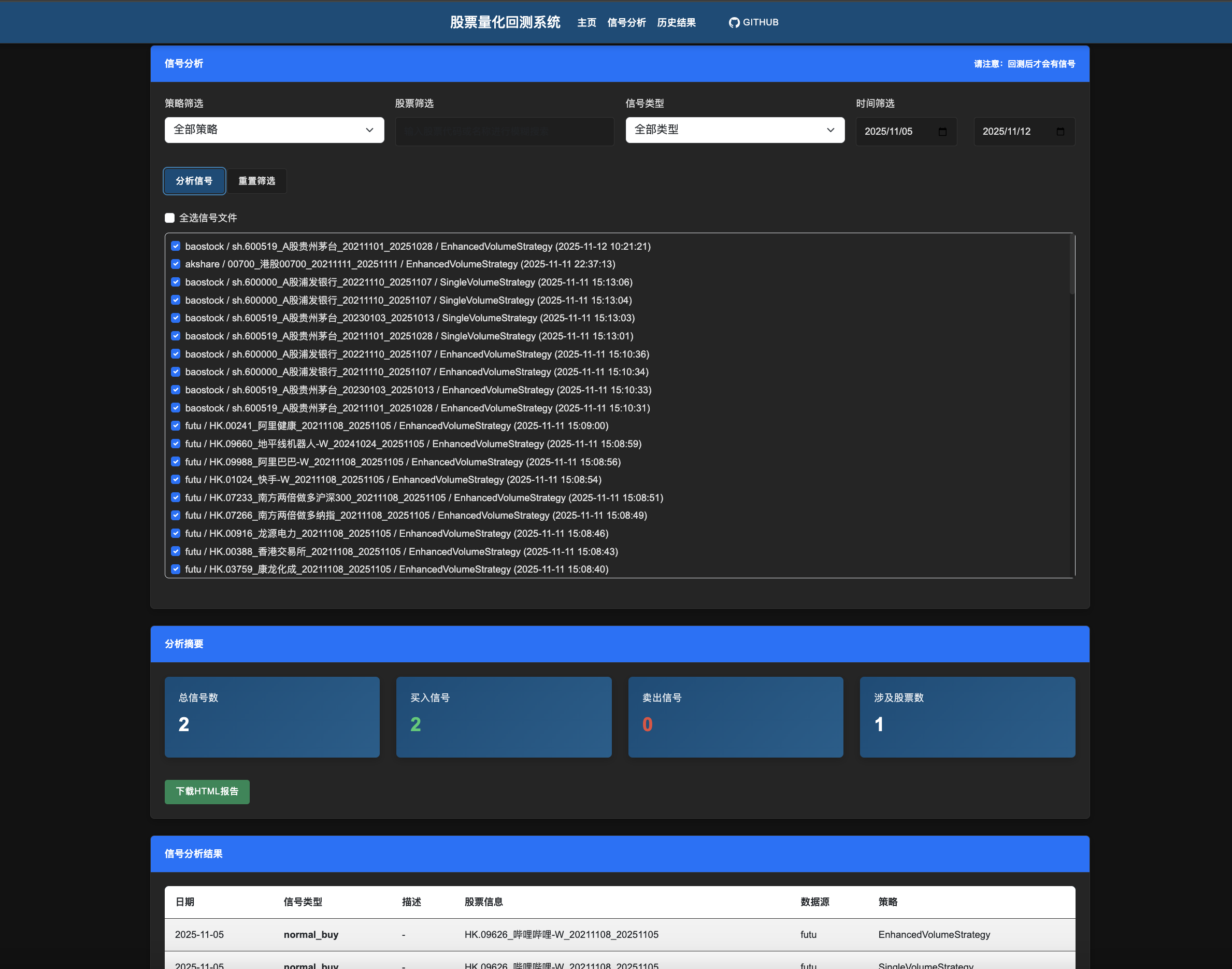
3.2 Analyzing Trading Signal Results (Trading signals generated from backtesting, not actual trading records)
After backtesting, trading signals are generated and aggregated by signal dimensions. The aggregated signals allow
filtering by strategy, stock name, time, and signal type, and support downloading in HTML format
4. Strategy Parameter Adjustment
Adjust strategy signal parameters (only mark trading signals, no trading): Modify trading strategy-related
parameters in the settings file

Adjust strategy buying and selling parameters (execute trades based on trading signals): Modify trading
commission-related parameters in the settings file

Adjust initial principal: Modify trading principal parameters in the settings file
5. Task Scheduling
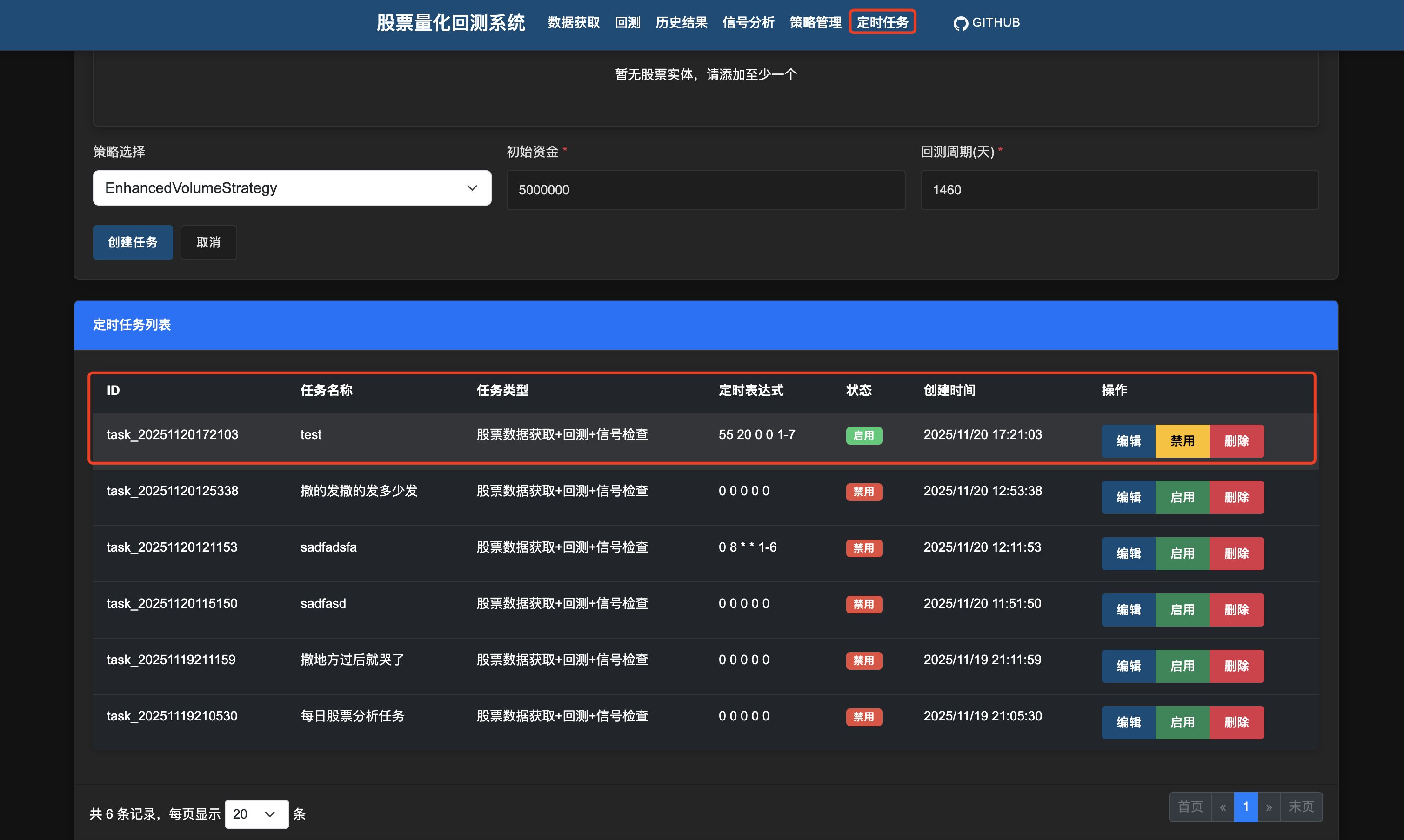
1.Configure the task name, type, description, and cron expression
2.Configure the target stock list (supports A-share, HK-share, and US-share)
3.Configure the backtest strategy, initial principal, and backtest days (default end time is one day before the current time)
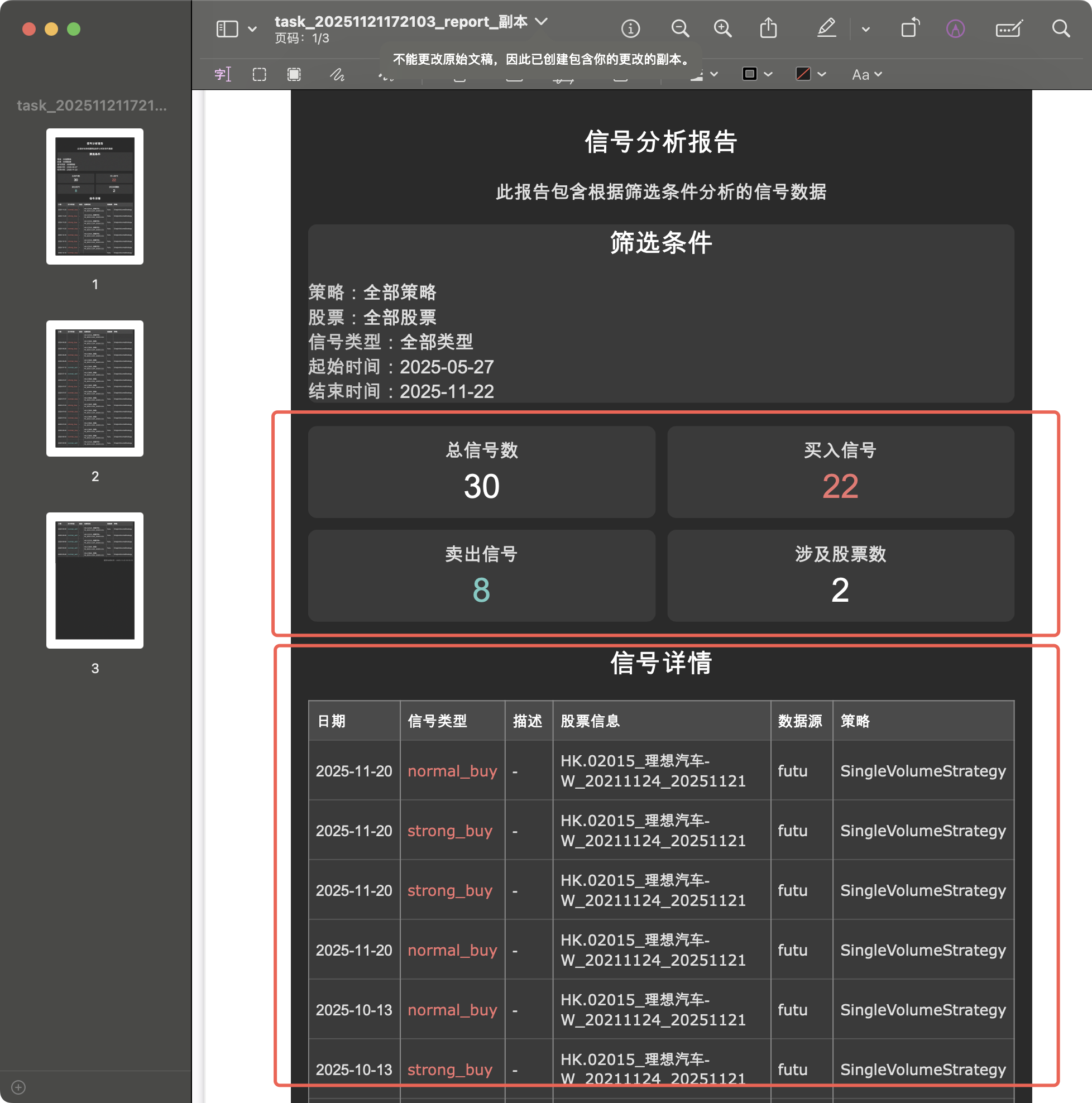
4.Start the task to execute the backtest offline
5.Configure the enterprise-wechat webhook URL (add WECHAT_WEBHOOK_QUANT to environment variables)
If configured, a notification message will be sent to the enterprise-wechat group after the task execution is completed.
(Please configure the enterprise-wechat group message assistant to receive the notification message)
(Optional. You can apply for a webhook and search by yourself.


Attention: Do not configure a large number of tasks or too frequent tasks, as it may cause system resource pressure and
also risk being banned by the data source service.

6. Strategy Management
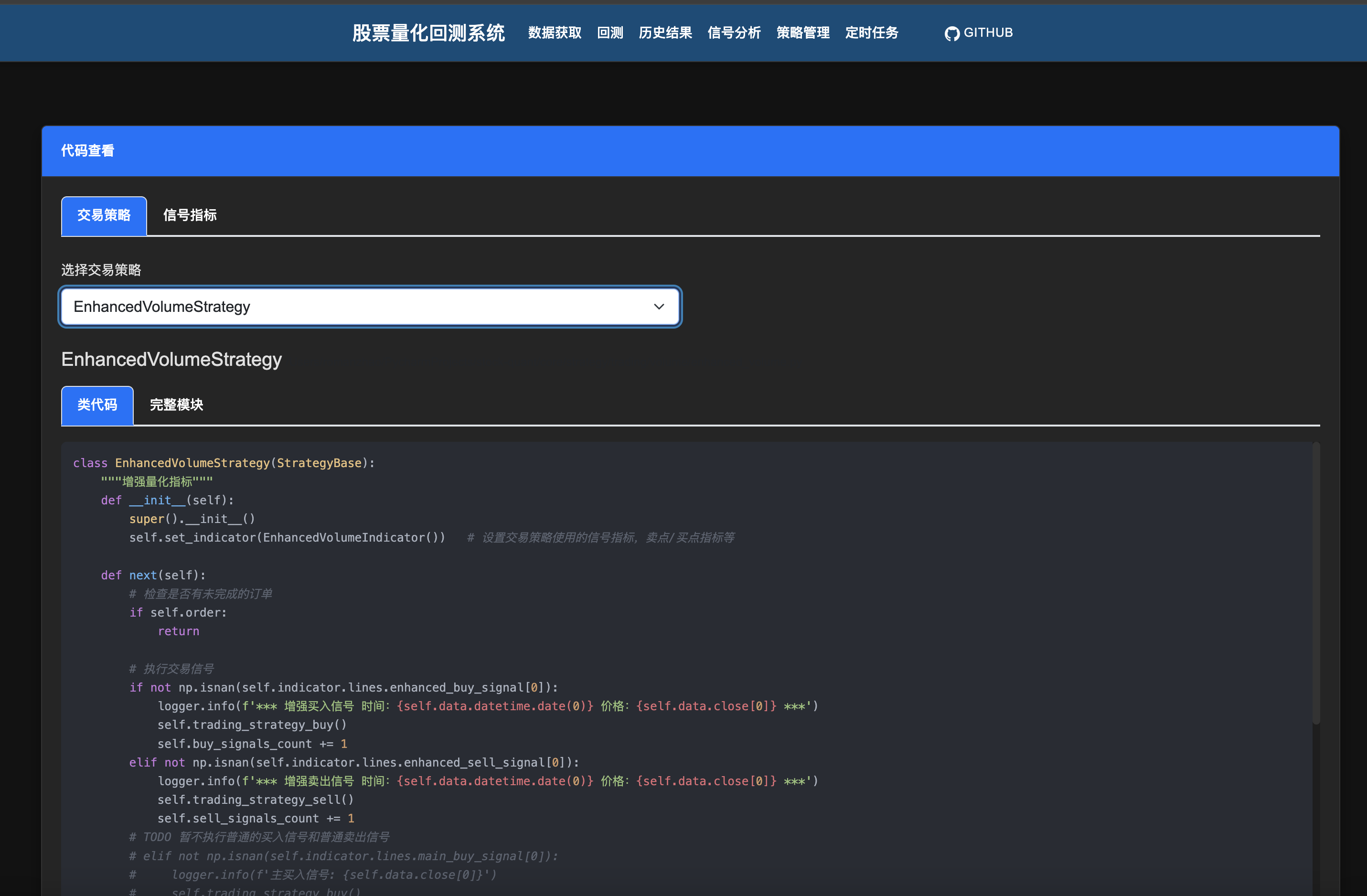
1.View indicator strategies
2.View trading strategies
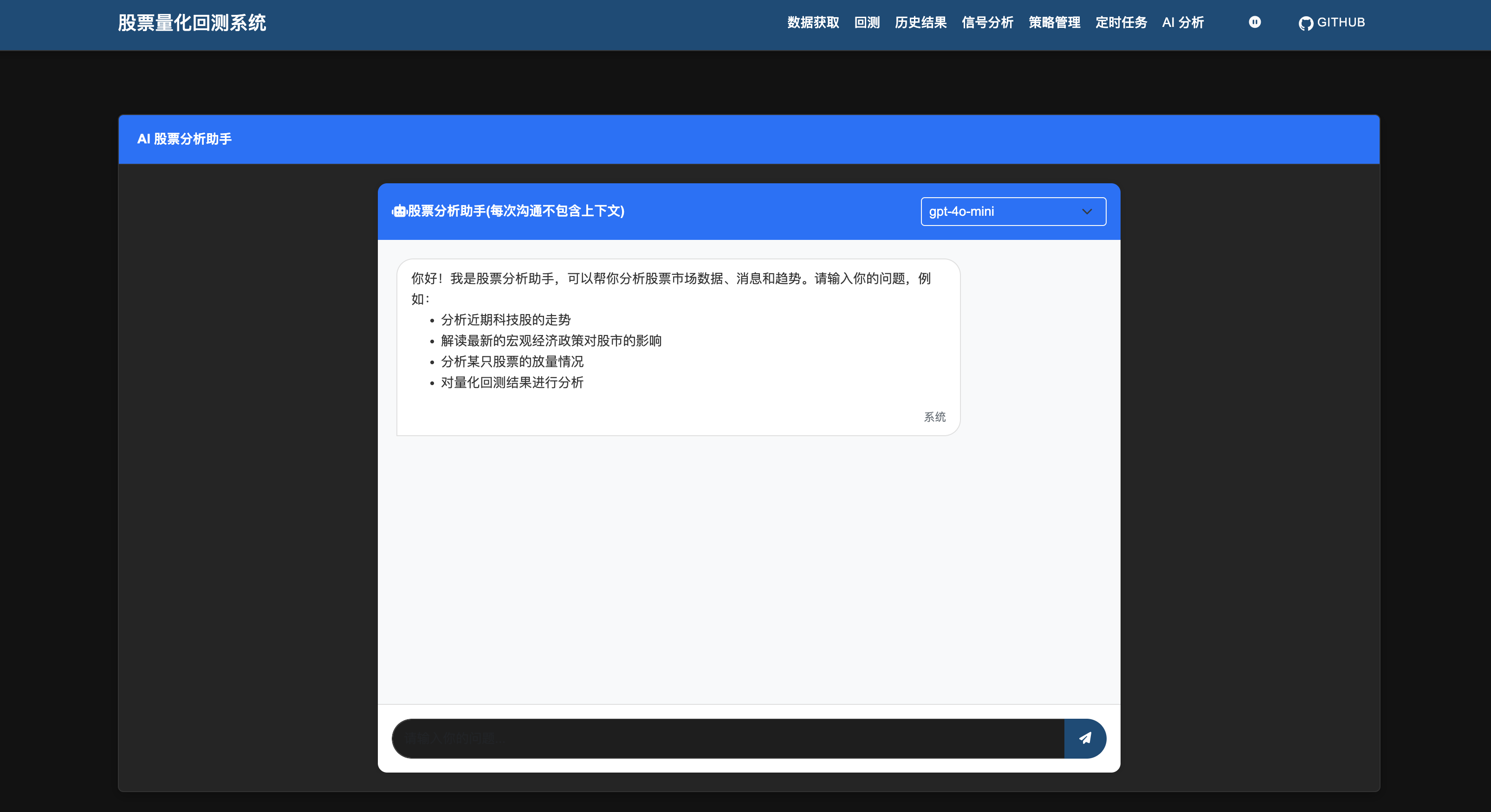
7. AI Analysis (Optional)
1.Apply for GITHUB API Token(https://github.com/settings/personal-access-tokens)
2.Add environment variable GITHUB_MODEL_TOKEN
3.Start the quant system to use AI analysis
Example: Add environment variable GITHUB_MODEL_TOKEN on macos
cd ~
vim .bash_profile
export GITHUB_MODEL_TOKEN="github_pat_XXXXXX"
source .bash_profile
Restart the quant system to use AI analysis
Release Note
Disclaimer: The strategy is for learning and research purposes only. It is not recommended for use in real trading. We do not assume any trading risks, and all consequences are at your own risk.


